
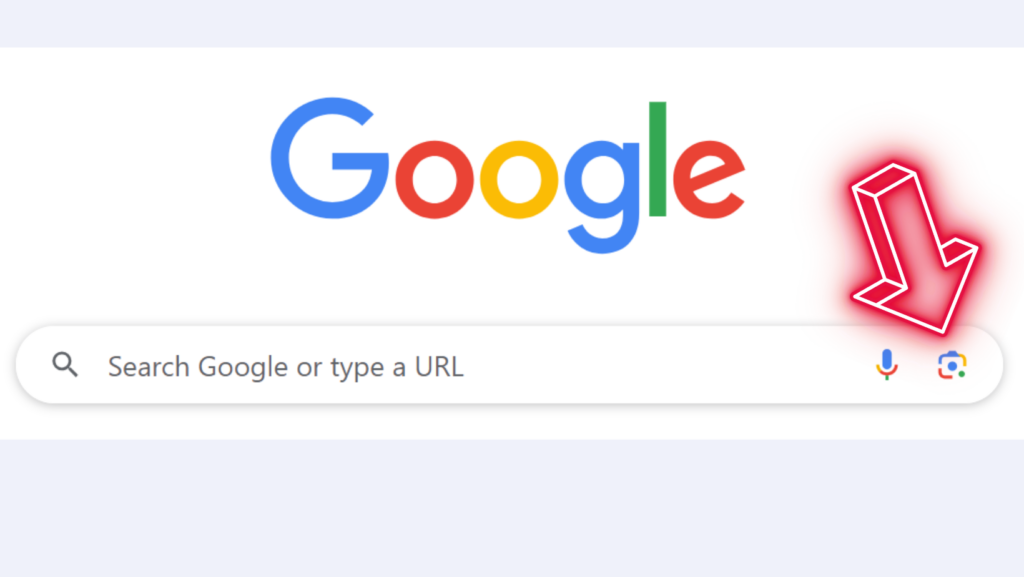
Ever wished for a magic tool to identify what you’re looking at? Look no further than Google Lens – your go-to tool for identifying anything in Utila!
In Utila, we can’t simply run to a Home Depot to ask about a part or to find out if they have something similar…
Have you ever tried to find a manual or identify a new plant in your garden with just a photo? Trust me, Google Lens has you covered!
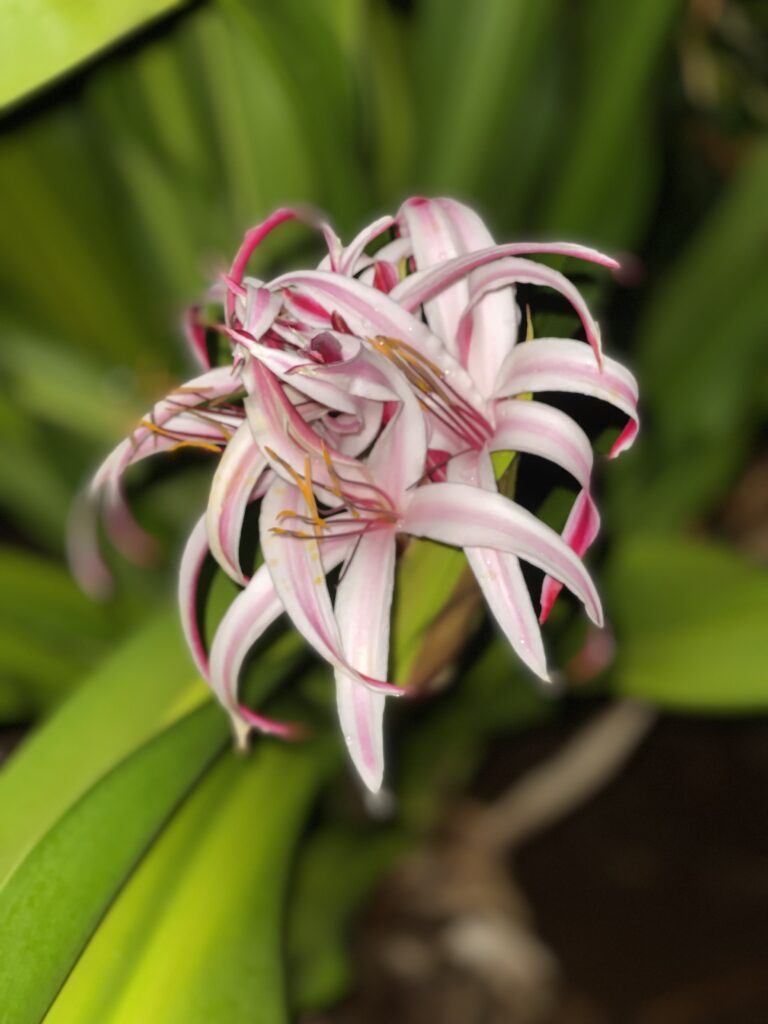
Just outside our office, an exotic flower emerged from among thick leaves. Unsure of its identity, I used Google Lens. And there you have it! 𝗚𝗶𝗮𝗻𝘁 𝗿𝗲𝗱 𝗰𝗿𝗶𝗻𝘂𝗺 𝗹𝗶𝗹𝘆!
Sound cool? Here’s your step-by-step guide to becoming a Google Lens whizz:
- Snap away! Get a clear, bright photo of what you want to know more about.📸
- Open Google. Notice a colorful dot inside a square. That’s Google Lens, next to the microphone icon.
- Click the ‘camera icon’. Select your photo from your library. Tap the blue ‘search’ button.
- Watch Google Lens work its charm. Tap on those little dots to highlight what part of the photo you want to identify.
- Bask in your search results. It’s like your personal detective unveiling secrets from your photo.
- Explore and Learn. Watch videos, find similar images, learn fun facts. So that’s it – you’re now ready to explore the world one photo at a time! You can also just snap a photo while in Google Lens.
If Google Lens helps you uncover an unknown treasure, or you’ve got another useful Utila tip, I’d love to hear about it!